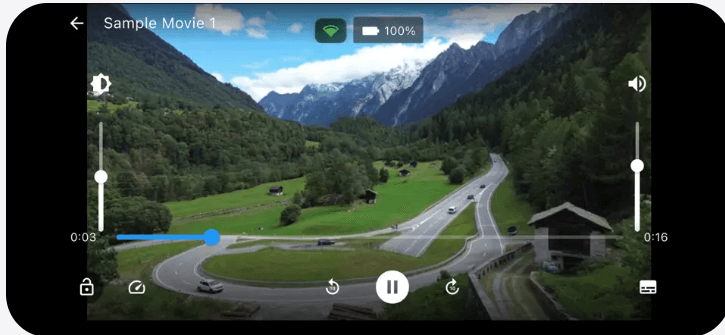
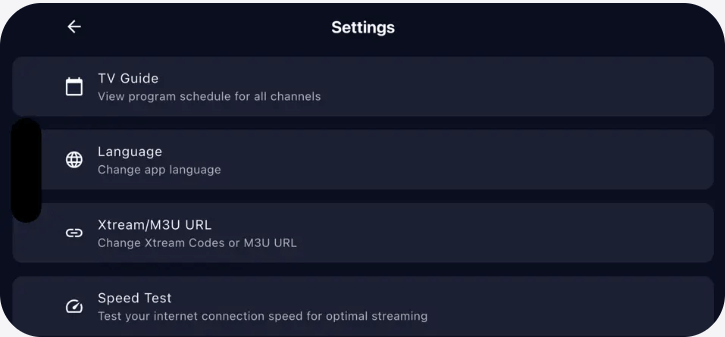
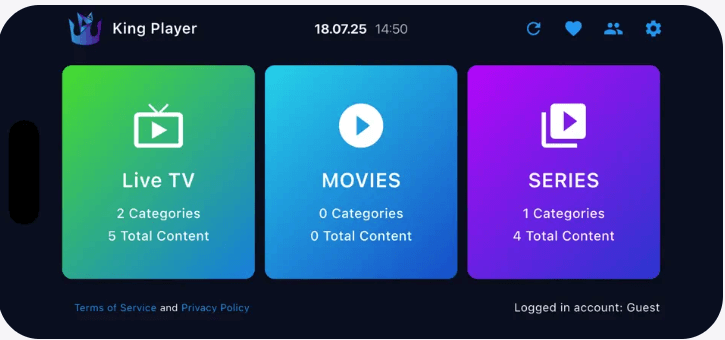
Apple IPTV Player

Experience premium IPTV streaming across your entire Apple ecosystem. Our Apple, Ipad and IOS IPTV Player is meticulously designed for iPhone, iPad, Mac, and Apple TV, delivering a seamless viewing experience that feels native to each device. Stream thousands of live TV channels with the elegance and performance you expect from Apple products.

Built with Swift and optimized for iOS, iPadOS, macOS, and tvOS, our player supports M3U playlists, Xtream Codes API, and features full EPG integration. Enjoy AirPlay support, Handoff continuity, iCloud sync, and Siri integration for the ultimate Apple experience. Whether you're watching on your iPhone during commute, iPad at home, Mac at work, or Apple TV in your living room, your content follows you everywhere.

No channels are included in the application. IPTV Player app is not responsible for the content uploaded to it.
DOWNLOAD FOR APPLE

Compatible with:
iPhone (iOS 14.0+), iPad (iPadOS 14.0+)
Mac (macOS 11.0+), Apple TV (tvOS 14.0+)

Apple Ecosystem Features

Designed exclusively for your Apple devices

Native Apple Design

Beautiful interface following Apple's Human Interface Guidelines for each platform

AirPlay Support

Stream wirelessly to Apple TV, HomePod, or AirPlay-enabled devices

iCloud Sync

Favorites, settings, and watch history synced across all your Apple devices

Siri Integration

Control playback with voice commands using Siri on all devices

Picture in Picture

Watch while using other apps with native PiP support on iOS and macOS

Handoff Continuity

Start watching on one device and seamlessly continue on another

Complete Feature List

Everything you need for the perfect IPTV experience on Apple devices

๐ŸŽ Apple Ecosystem Integration

  • โœ… Universal App: Single purchase works on iPhone, iPad, Mac, and Apple TV
  • โœ… iCloud Sync: Favorites, playlists, and settings synced across all devices
  • โœ… Handoff Support: Start on one device, continue on another seamlessly
  • โœ… AirPlay 2: Stream to Apple TV, HomePod, and AirPlay speakers
  • โœ… Siri Integration: Voice control with "Hey Siri" commands
  • โœ… Shortcuts Support: Create custom automation with Apple Shortcuts

๐Ÿ“บ Streaming Features

  • โœ… M3U Playlist Support: Import unlimited M3U/M3U8 playlists with one click
  • โœ… Xtream Codes API: Full Xtream Codes integration with automatic updates
  • โœ… Adaptive Streaming: Auto-adjust quality based on internet speed (SD/HD/FHD/4K)
  • โœ… Multiple Codecs: H.264, H.265 (HEVC), VP9, AV1 support
  • โœ… Smart Buffering: Intelligent pre-buffering prevents interruptions
  • โœ… Auto-Reconnect: Seamlessly restore stream if connection drops

๐ŸŽฏ User Interface

  • โœ… Native Design: Follows Apple Human Interface Guidelines perfectly
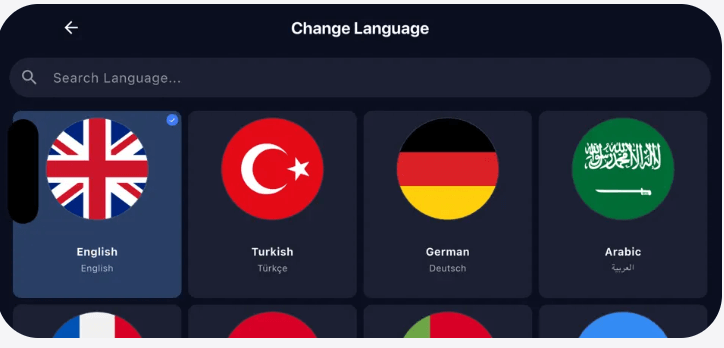
  • โœ… 15 Languages: English, Turkish, German, Arabic, French, Spanish, Italian, Portuguese, Russian, Polish, Dutch, Swedish, Greek, Romanian, Hungarian
  • โœ… Dark Mode: Full support for iOS/macOS Dark Mode with auto-switching
  • โœ… Dynamic Type: Respects system font size settings for accessibility
  • โœ… Gesture Controls: Intuitive swipe, pinch, and tap gestures
  • โœ… Picture in Picture: Watch while using other apps on iOS/iPadOS/macOS

๐Ÿ“‹ EPG & Channel Management

  • โœ… Full EPG Support: 7-day program guide with detailed show information
  • โœ… Auto-Categorization: Channels organized by country, genre, language
  • โœ… Spotlight Search: Find channels instantly from iOS/macOS Spotlight
  • โœ… Favorites System: Create unlimited favorite lists synced via iCloud
  • โœ… Recently Watched: Quick access to your last 50 watched channels
  • โœ… Channel Logos: High-resolution logos optimized for Retina displays

๐Ÿ‘จโ€๐Ÿ‘ฉโ€๐Ÿ‘งโ€๐Ÿ‘ฆ Family Features

  • โœ… Parental Controls: Face ID/Touch ID protected adult content filtering
  • โœ… Kids Mode: Simplified interface with only child-friendly channels
  • โœ… Screen Time Integration: Works with iOS Screen Time limits
  • โœ… Family Sharing: Share app with up to 6 family members

โšก Performance & Tools

  • โœ… Built-in Speed Test: Test your connection and optimize settings automatically
  • โœ… Battery Optimized: Efficient power usage extends battery life on iPhone/iPad
  • โœ… Lightweight: Only 55MB download size, minimal storage usage
  • โœ… App Store Updates: Automatic updates delivered through App Store
  • โœ… Crash Recovery: Auto-save state and resume where you left off
  • โœ… Offline Mode: Download channels for offline viewing (where supported)

๐Ÿ”’ Security & Privacy

  • โœ… Encrypted Credentials: All login data stored securely with AES-256 encryption
  • โœ… No Data Collection: We don't track or store your viewing history
  • โœ… Secure Connections: HTTPS/SSL support for all API communications
  • โœ… Local Storage: All settings and data stored locally on your PC

Apple IPTV Player Interface

Experience elegant IPTV streaming on iPhone, iPad, Mac & Apple TV

Apple IPTV Player on iPad and Mac

iPad & Mac Interface

Beautiful native design optimized for large screens

Apple IPTV Player channel grid

Channel Grid View

Browse channels with stunning visual layout

Apple IPTV Player live streaming

Live TV Streaming

Smooth HD playback with AirPlay support

Apple IPTV Player EPG guide

EPG Program Guide

Rich program information with Retina graphics

How to Install on Apple Devices

Get started with IPTV Player on your iPhone, iPad, Mac, or Apple TV

Step 1

Download from App Store

Open the App Store on your iPhone, iPad, Mac, or Apple TV. Search for "IPTV Player" or tap the download button above to go directly to our App Store page. The app is free to download with a universal purchase that works across all your Apple devices.

Step 2

Install and Launch

Tap "Get" to download and install the app. Authenticate with Face ID, Touch ID, or your Apple ID password. Once installed, the app will automatically sync to all your devices via iCloud. Launch IPTV Player from your home screen or Launchpad.

Step 3

Add Your Playlist

On the welcome screen, choose to add an M3U playlist URL or configure Xtream Codes API credentials. Your settings will sync across all devices via iCloud. The app will load your channels and EPG data. Start streaming on any Apple device with Handoff continuity!

Device Compatibility

Works seamlessly across your entire Apple ecosystem

๐Ÿ“ฑ iPhone

iOS 14.0+

iPhone 6s and newer

๐Ÿ“ฒ iPad

iPadOS 14.0+

iPad Air 2 and newer

๐Ÿ’ป Mac

macOS 11.0+

Intel & Apple Silicon

๐Ÿ“บ Apple TV

tvOS 14.0+

Apple TV HD & 4K

Internet Connection: Broadband connection required (10 Mbps minimum for HD, 25 Mbps for 4K streaming)

โš ๏ธ Important Disclaimer

IPTV Player is only a media player application. The app does not host, stream, or provide any media content whatsoever.

We focus solely on providing the best playback experience for your existing media files and playlists. You must have your own legitimate IPTV subscription or content source to use this player.